
How OSHA Rates Are Calculated
My Analytics can show your OSHA incident rates as analytics cards. This article explains exactly how those rates are worked out: which OSHA Compliance entries count as cases, which date puts a case in a period, which hours worked are used, and the formula. Every rate is calculated from information your own team enters in iReportSource. Nothing is pulled in from OSHA or any other outside source.
Rate cards use the OSHA Compliance data source in My Analytics. For setting up dashboards and cards, see MyAnalytics: Setup and Workflow.
The formula
TCIR, DART, JRTR and LTIR all use the same formula:
Rate = (number of cases × 200,000) ÷ hours worked
The result is rounded to two decimal places. 200,000 is the number of hours 100 full-time employees work in a year (40 hours a week for 50 weeks). It is the base OSHA uses, so a rate reads as "cases per 100 full-time workers" and can be compared between locations of different sizes.
For example, 3 recordable cases and 150,000 hours worked give a TCIR of (3 × 200,000) ÷ 150,000 = 4.00.
LTIIR (Lost Time Injury Incident Rate) uses employees instead of hours worked:
LTIIR = (number of cases × 100) ÷ number of employees
The employee count is every employee record in the Company Division that has not been deleted, former employees included. For a Group/Establishment card, it is the employees assigned to that Group/Establishment. The count is taken when the card loads, not for the card's date range. Hours worked are not used, so LTIIR does not need them.
Which cases count toward each rate
TCIR (Total Case Incident Rate) counts every OSHA Compliance entry, of any case type including deaths, unless Is OSHA Recordable is answered No.
DART (Days Away Restricted Transfer) Rate counts days away from work cases and job transfer or restriction cases.
JRTR (Job Restriction Transfer Rate) counts job transfer or restriction cases only.
LTIR (Lost Time Incident Rate) counts days away from work cases only.
LTIIR (Lost Time Injury Incident Rate) counts days away from work cases only, like LTIR.
An entry with Redline The Original Entry checked is never counted in any rate.
How the case type is decided
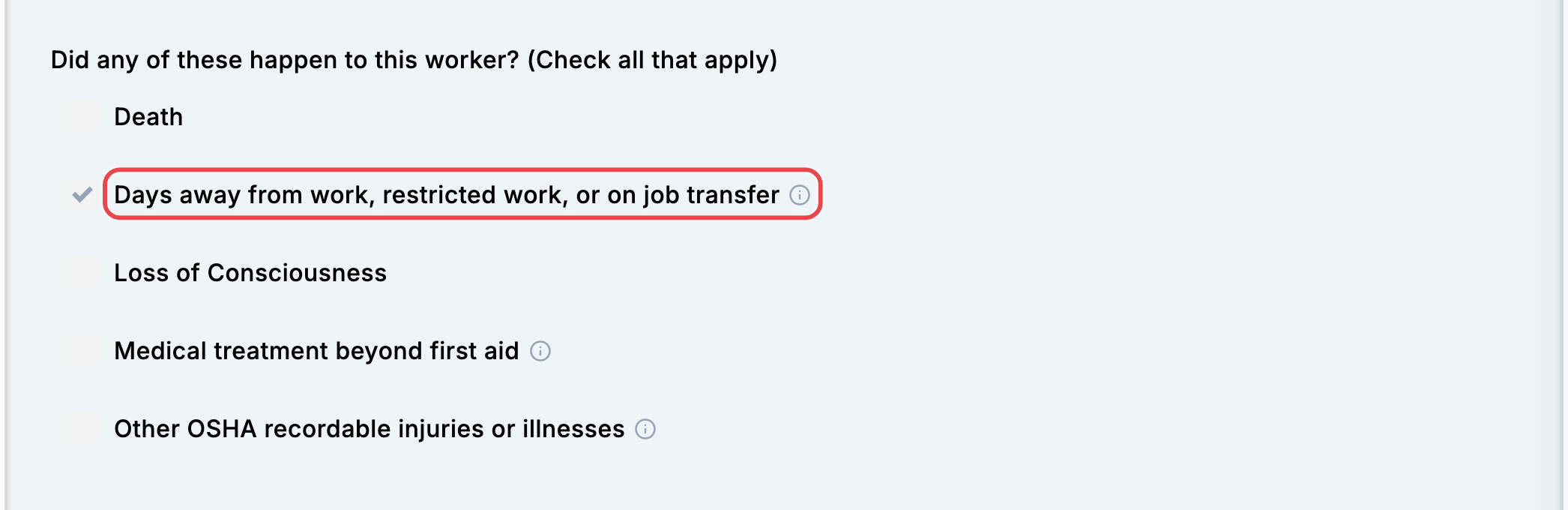
Each OSHA Compliance section saved on an incident report is one case. Its type comes from the Did any of these happen to this worker? question in that section, together with the days away from work recorded there:
If Death is checked, the case is a death, whatever else is checked.
If Days away from work, restricted work, or on job transfer is checked and at least one day away from work is recorded, the case is a days away from work case.
If Days away from work, restricted work, or on job transfer is checked and no days away from work are recorded, the case is a job transfer or restriction case.
If neither of those is checked (for example, only Medical treatment beyond first aid or Loss of Consciousness), the case is an other recordable case.
Which date places a case in a period
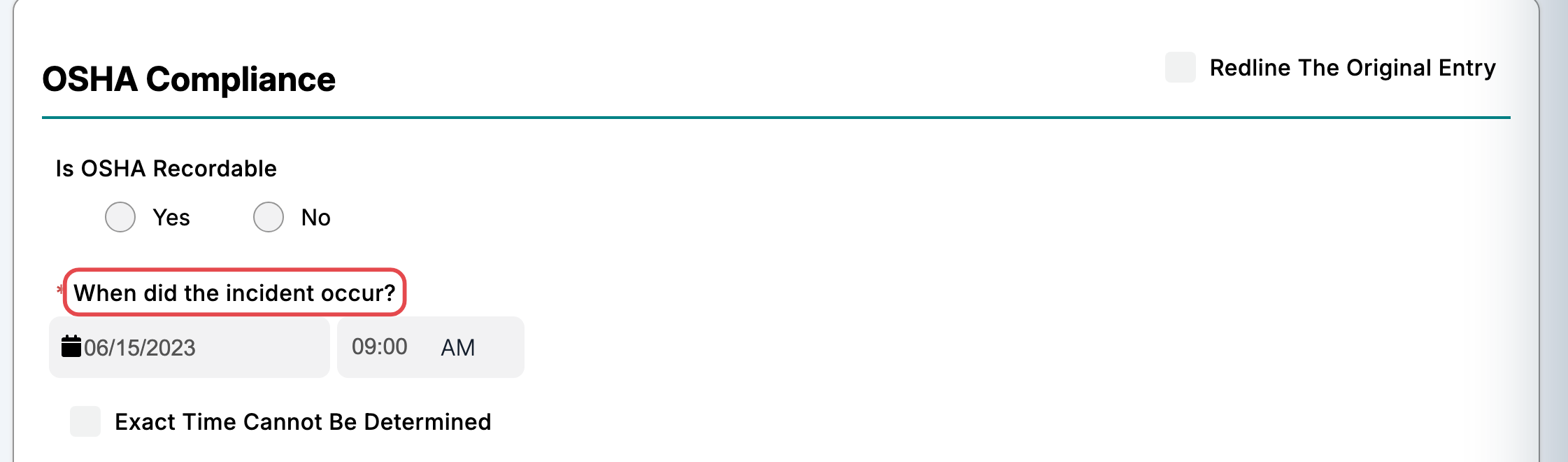
A case falls in the period that contains its answer to When did the incident occur? in the OSHA Compliance section. If that answer is blank, the date the incident occurred on the report itself is used. The date the report was created or submitted does not matter.
Which hours worked are used
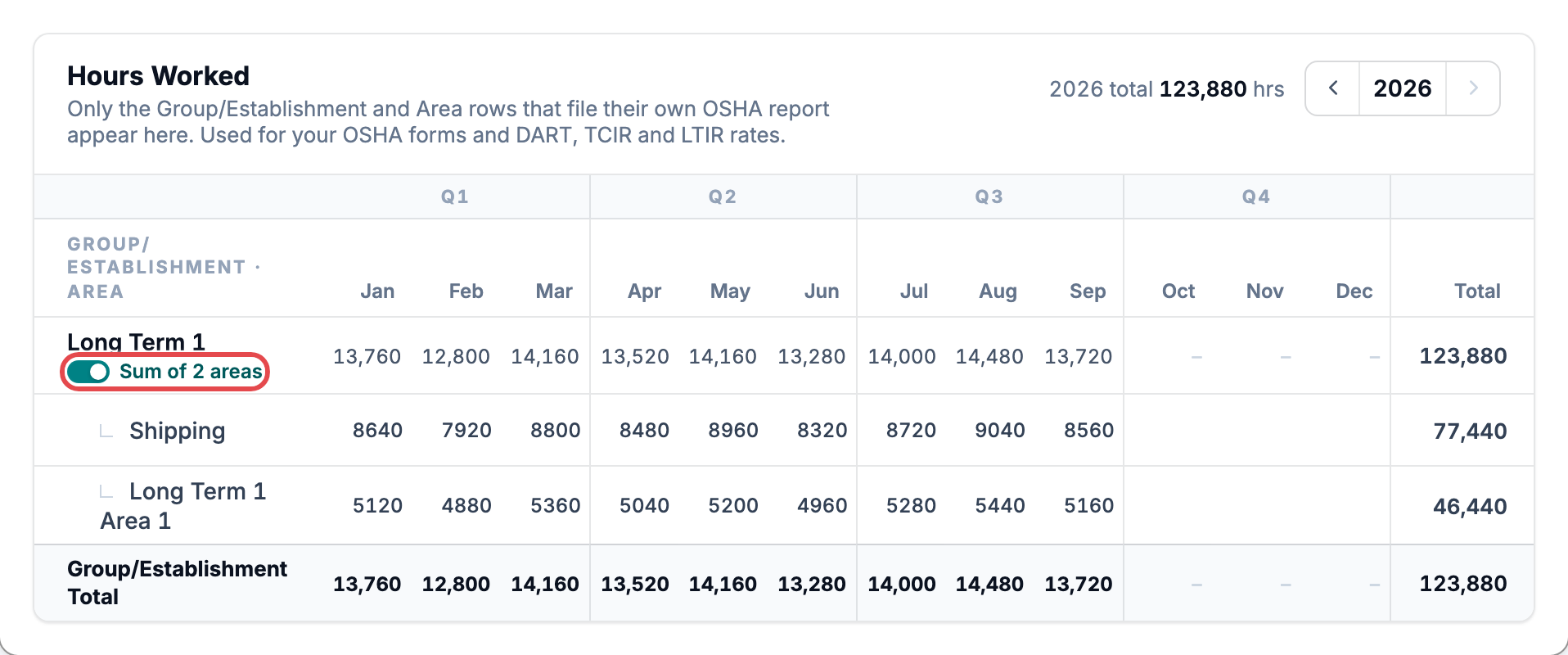
Admins enter hours worked in the Hours Worked table (go to Settings → Company Divisions, click Edit on Company Details, and scroll to Hours Worked), or upload them from OSHA Forms → Upload OSHA Hours Worked. See Adding Hours to Populate OSHA Rates for the steps.
Company Division rates add up the hours of every Group/Establishment that files its own OSHA report. When you view the card from inside one Group/Establishment, or filter the card to certain Group/Establishments, only those hours are used.
Group/Establishment rates divide each Group/Establishment's cases by that Group/Establishment's own hours.
Areas: rates read the hours on the Group/Establishment row. If a Group/Establishment's sum switch in the Hours Worked table is on (it reads, for example, Sum of 3 areas), its hours are the totals of its Areas. If the switch is off, the hours typed on the Group/Establishment row are used.
The time period
Hours always come from the calendar year the card's date range starts in.
Single-number cards divide the cases in the date range by all the hours entered for that year.
Charts over time, such as a monthly line chart, show a running year-to-date rate. Each month counts the cases from the start of the date range through that month and divides by the hours entered from January through that month. If no hours are entered for those months (for example, when the whole year's total is entered in a single month later in the year), the year's total is used instead.
If no hours are entered for the year, the card shows Missing Hours Worked. in place of a rate. Admins also see a pointer to the Company Divisions settings. Other users are asked to contact their administrator.
Good to know
Rates are only as complete as the OSHA Compliance sections behind them. An injury with no OSHA Compliance section saved is not counted. To review entries, see OSHA Forms Overview.
Keep a rate card's date range inside one calendar year. A range that crosses into a new year still divides by the first year's hours only.
The same hours worked also feed your OSHA forms, such as the OSHA 300A.
Names such as Company Division, Group/Establishment, Area and Incident follow your workspace's own names for them.