
Maintenance History
Maintenance History is the record of what has actually been done to a machine — every service and repair filed against it, newest first. It is one feature with one name, and it appears in five places so that whoever is standing at the machine can read it, whether or not they can sign in.
What it shows depends on who is reading. A signed-in member of staff sees the whole record. An unauthenticated reader — an outside company holding a work-order link, or anyone who scanned the sticker — sees the work and never the people.
Where to find it
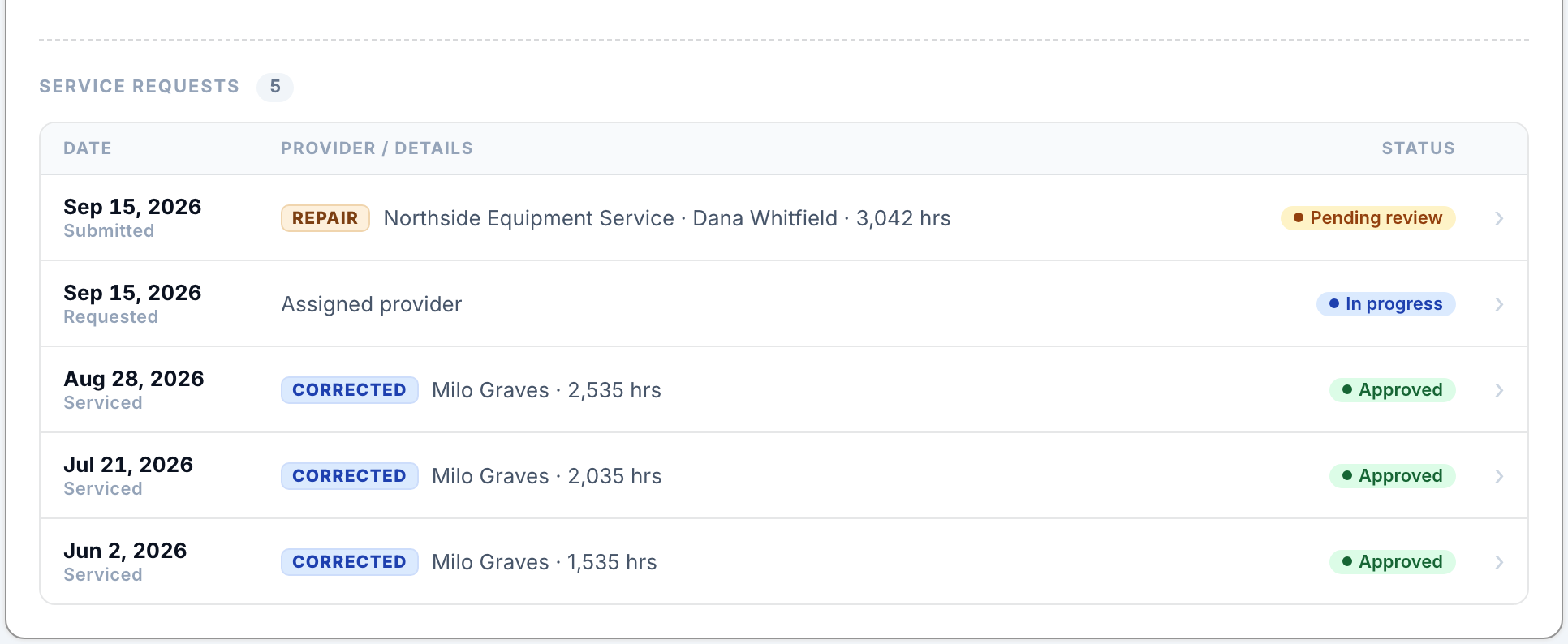
The equipment page (web). The Service Requests list on the Preventive Maintenance card, on the read-only view of the unit. This is the fullest view and it includes requests that are still open.
The mobile app. A Maintenance History row inside the equipment record's Maintenance section.
The signed-in write-up page. Collapsed above the form, so a technician can see what was done last time before describing this time.
The provider's work-order link. Collapsed above the form, in the reduced public form.
The walk-up screen. A Service history option on the screen you reach by scanning the machine's Maintenance QR code, again in the reduced public form.
What a signed-in reader sees
Each entry carries the kind of job (Service or Repair), the date performed, the meter reading, and the outcome — Sent, Awaiting review, Approved or Sent back — plus who serviced it, what was reported, what was performed, what parts were used, and the reason if it was sent back. On the equipment page the row also carries the provider's own status while the job is still with them, and clicking a row that is still open shows a read-only panel of everything saved so far.
What a public reader sees
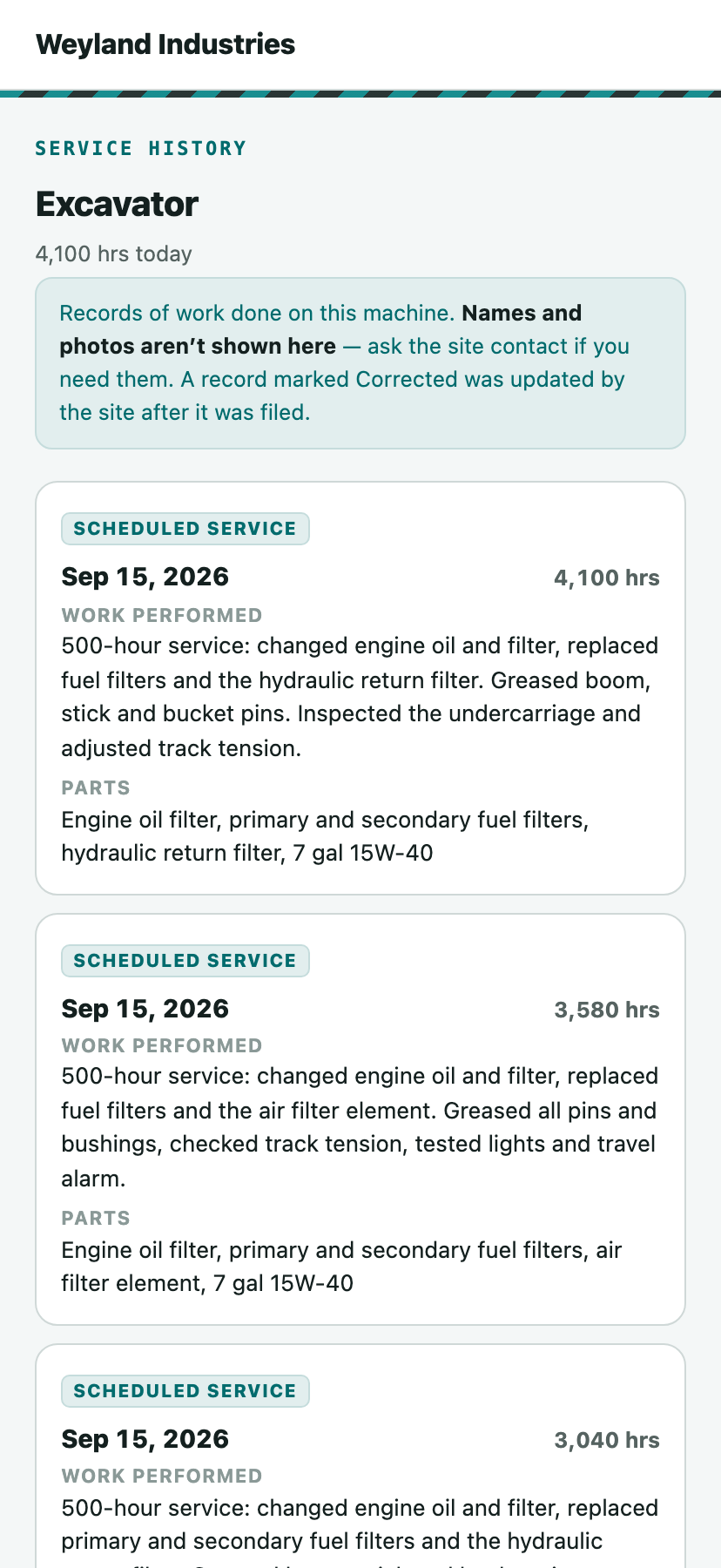
The public version is deliberately thinner. It shows the kind of job, the date, the meter reading, what was reported, what was performed, the parts used, and anything noted for next time. It withholds:
The name of the company that did the work, and the individual technician.
Photos and signatures.
Rejection reasons, and any write-up that was sent back.
The screen says so rather than quietly showing a thin list — Names and photos aren't shown here — ask the site contact if you need them — so nobody concludes the record is empty. A write-up that has been filed but not yet reviewed is included and marked Pending review.
Reading an entry
Corrected
A record the site corrected after it was filed carries a Corrected tag, on every surface including the public one. Signed-in readers can open the full correction log; public readers see the flag and nothing more. See Correcting a Maintenance Record.
“Another scheduled service came due while this job was open”
Approving one work order restarts the counter from that job's own reading, so a single visit closes out every interval that came due while it sat open. When that happened, the entry says so — otherwise a visit at 1,001 hours on a 500-hour interval would read as though the machine had been on schedule all along.
Good to know
Only work that was actually recorded is listed. A work order merely issued has nothing on it yet, so it does not appear as history — though it does show on the equipment page's Service Requests list, where seeing what is outstanding is the point.
A unit whose Preventive Maintenance was later switched off keeps the history it accumulated, and the mobile section still offers it.
Work carried out before the machine was set up in iReportSource will not appear.
Dates performed are read as calendar dates, so they show the same day to every reader regardless of time zone.